
Tuition Reminder System for Private Schools: Designing the Academic Year Payment Calendar
Why Generic Payment Reminder Systems Fail Private Schools
Most payment reminder automation tools are designed for subscription businesses or invoice-based service providers: send a reminder three days before the due date, send another reminder on the due date, escalate to collections after 30 days. This logic is functionally adequate for a gym membership or a monthly invoice. It is wholly inadequate for a private school's tuition billing operation.
A K-12 private school's tuition billing environment has characteristics that generic payment platforms simply do not account for. Tuition is owed for an academic year, not a calendar year. The payment schedule — whether monthly, quarterly, semi-annual, or annual — is tied to academic milestones, not calendar months. Fees vary by grade level, program enrollment, extended care participation, and activity selection. Families may have two, three, or four children enrolled at different grade levels with different fee structures, all of whom should ideally receive a single consolidated statement rather than three separate billing communications. Financial aid awards change the net tuition owed, and those changes must be reflected accurately in every billing communication. And layered on top of all of this is the re-enrollment deposit cycle, summer program billing, and the annual process of transitioning families from one academic year's payment structure to the next.
A tuition reminder system designed for private schools is not a payment reminder tool with a school logo. It is a purpose-built system that understands the academic calendar, respects the school community relationship, and handles the complexity of multi-child, multi-program billing without producing the errors and family frustrations that generic systems reliably generate.
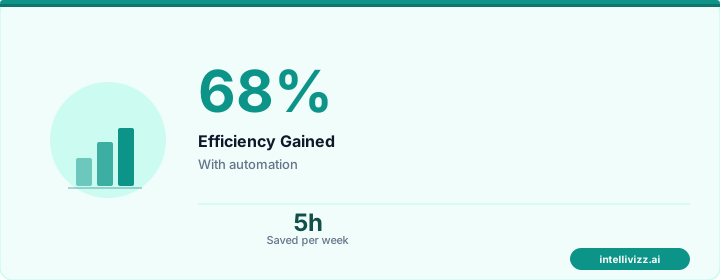
🎓 Built for the Academic Year, Not the Calendar Year
A tuition reminder system that understands how private schools actually bill
Academic Year Payment Calendar Architecture
The foundation of a private school tuition reminder system is an academic year payment calendar that maps billing events to the school year rather than to arbitrary dates. This calendar should be configurable by the business office at the beginning of each academic year and should serve as the authoritative source for all automated payment communications throughout the year.
Core Payment Calendar Events
| Calendar Event | Trigger Type | Automated Action | Timing |
|---|---|---|---|
| Enrollment contract signed | Event-based | Payment plan confirmation; first invoice generation | Immediate |
| Enrollment deposit due | Date-based | Deposit reminder sequence (14-day, 7-day, 3-day) | Per enrollment calendar |
| Annual tuition due date (full pay) | Date-based | Payment reminder sequence (30-day, 14-day, 3-day, day-of) | Per school billing calendar |
| Monthly tuition installment | Recurring date | Auto-pay confirmation or payment reminder; balance update | 3 days prior; day of |
| Financial aid disbursement adjustment | Event-based | Updated balance statement; explanation of adjustment | Within 24 hours of award change |
| Activity/enrichment fee enrollment | Event-based | Fee confirmation; updated annual billing summary | Within 48 hours of enrollment |
| Re-enrollment contract period opens | Date-based | Re-enrollment reminder sequence; deposit deadline notification | Per academic calendar |
| Summer program enrollment opens | Date-based | Summer program payment schedule setup; deposit request | Per summer program calendar |
Each of these events should trigger a specific communication sequence with content tailored to the event type, the family's current billing status, and the specific students enrolled. The system should never send a generic "payment due" message when an event-specific message with relevant context — financial aid adjustment details, re-enrollment deposit amount, summer program selection confirmation — is what the family actually needs.
Multi-Child Family Consolidated Billing
One of the most common sources of parent frustration with school billing systems is receiving separate payment communications for each enrolled child. A family with three children enrolled at a K-12 private school — a kindergartner, a fifth-grader, and a ninth-grader — will receive three separate tuition installment reminders, three separate activity fee confirmations, and three separate re-enrollment notices unless the billing system is specifically designed for consolidated family-level communication.
Consolidated billing requires the tuition reminder system to operate at the household level, not the student level. The system must:
- Group all enrolled students in a household under a single billing profile with a single primary payment method
- Generate a consolidated monthly statement showing all enrolled students' tuition, fees, credits, and balances in a single document
- Send a single payment reminder referencing the total household balance, not individual student balances
- Process a single payment that is allocated across all enrolled students' accounts by the system
- Handle sibling discounts at the family level, not the individual student level
Schools with strong multi-child enrollment programs — a significant competitive differentiator for many K-12 privates — should treat consolidated billing as a family service, not just an administrative convenience. A consolidated billing statement with clear per-student breakdowns communicates organizational competence and reinforces the school's commitment to family relationships.
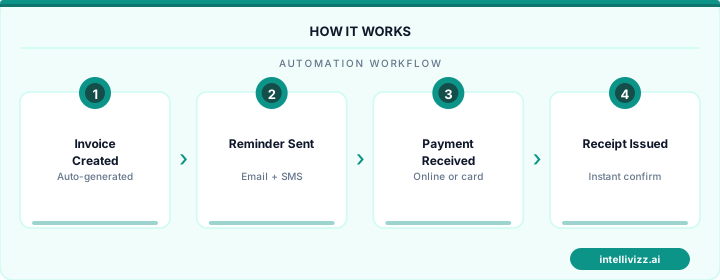
👨👩👧👦 One Statement for Every Child in the Family
Consolidated billing reduces parent confusion and payment processing overhead
Grade-Level Fee Variation and Billing Accuracy
Private school tuition is almost never uniform across grade levels. Upper school students typically pay more than lower school students; middle school falls somewhere in between. Beyond base tuition, fee structures vary by grade: upper school students pay for AP exam fees, college counseling programs, and overnight trip requirements. Middle schoolers pay for outdoor education programs. Lower school students pay for extended day programming at different rates than upper schoolers. Early childhood programs have separate rate structures tied to hours of care rather than academic calendar.
A tuition reminder system must accurately reflect these grade-level differences in every communication it generates. A billing statement that cites the wrong tuition amount — because the system applied a lower school rate to an upper school student after a grade-level transition — generates immediate family concern, a call to the business office, and an erosion of confidence in the school's administrative competence. Getting the numbers right, in every communication, for every student, is the minimum standard of acceptability.
Financial Aid Adjustment Notifications
Financial aid award adjustments — whether mid-year corrections, annual renewal decisions, or changes resulting from family financial circumstances — must be communicated with clarity and speed. A family whose financial aid award increases should receive written confirmation of the new award amount, the resulting change in net tuition owed, and an updated payment schedule reflecting the adjustment before the next payment cycle. A family whose award decreases faces a more sensitive communication that requires careful messaging.
The automated system should generate financial aid adjustment notifications within 24 hours of the award decision being entered into the student information system. The notification should clearly state the previous award, the new award, the reason for the change (in general terms — "annual financial aid review" or "re-certification based on updated financial information"), and the specific impact on the family's remaining payment obligations for the academic year.
Re-Enrollment Deposit Reminder Sequences
The annual re-enrollment deposit — typically due in January through March for the following academic year — is one of the most important payment milestones in the academic calendar. It signals a family's intent to return, and it provides the school with early enrollment commitment data for staffing, classroom planning, and financial projection.
The re-enrollment reminder sequence should begin well before the deposit deadline — ideally four to six weeks out — and should be designed to feel like a community invitation rather than a billing demand:
- Six weeks before deposit deadline: Re-enrollment opens notification. Emphasizes the community, the coming year's programs, and any early-enrollment benefits (priority schedule selection, activity enrollment priority). Include the deposit amount and deadline prominently but not as the lead message.
- Three weeks before deadline: A reminder that links directly to the re-enrollment portal, with the deposit amount and due date. For families who have already submitted re-enrollment, this message should acknowledge their commitment and thank them — not send a reminder they do not need.
- One week before deadline: A clear deadline reminder for families who have not yet submitted re-enrollment. This message can note that enrollment slots for returning families are not guaranteed after the deadline — a factually accurate and motivating framing that is not punitive.
- Day-of and two-day-past deadline: Final outreach for families who have not re-enrolled, with an option to speak with the admissions or business office if the family has questions about the coming year.
For the broader enrollment automation system — including how re-enrollment connects to the incoming student pipeline — see our guide to school enrollment funnel automation.
Summer Program and Extended Care Fee Collection
Summer programs and extended care represent significant supplementary revenue for many private schools, and their payment collection deserves the same systematic approach as core tuition billing. Summer program fees are typically due in the spring before the program begins; extended care fees may be billed monthly during the academic year or reconciled weekly based on actual usage.
The tuition reminder system should handle summer program billing as a distinct payment calendar layered on top of the core academic year calendar — same system, same parent-facing portal, but with separate billing schedules, payment confirmations, and reminder sequences. Families should receive a consolidated view of all outstanding obligations — core tuition, summer program deposits, extended care balances — in a single billing dashboard, even though the underlying payment schedules and due dates are different.
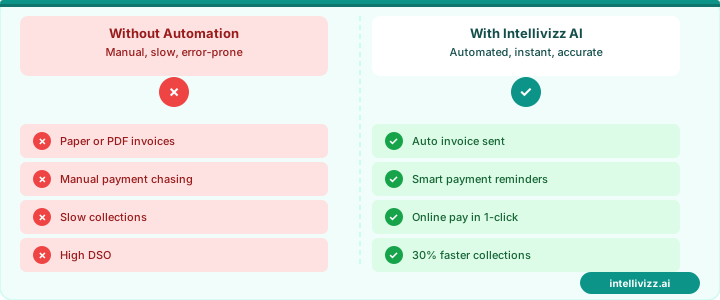
☀️ Summer Programs Billed with the Same Precision
One parent portal for tuition, summer programs, and extended care — all in sync
Parent Portal Payment Tracking
The parent portal is the family-facing layer of the tuition reminder system — the place where parents go to see their current balance, payment history, upcoming payment dates, and financial aid award details. A well-designed parent portal reduces the volume of "what do I owe?" calls to the business office by making this information available 24 hours a day, on any device, in a format that is clear to someone without a financial background.
Essential parent portal features for a private school tuition system include:
- Real-time balance display for each enrolled student, with a household total
- Full payment history for the current academic year, downloadable as a PDF statement
- Upcoming payment schedule with amounts and due dates for the remainder of the year
- Financial aid award summary with net tuition calculation shown clearly
- One-click payment for immediate balance payment
- Payment method management (add, update, or change recurring payment method)
- Notification preferences (email, SMS, or both; frequency preferences)
When a reminder email includes a direct link to the parent portal showing the specific balance referenced in the message, the conversion from reminder to payment is dramatically higher than when the email simply states the amount owed and asks parents to log in separately. Every friction point between the reminder and the payment reduces collection rates.
For the complete school financial operations context — including how the payment system integrates with enrollment, communication, and the broader school management stack — our guide to school communication automation covers the full communication system design, and our guide to how to automate the school enrollment process addresses how billing connects to the enrollment pipeline.
Implementation Considerations for Business Offices
Implementing a purpose-built tuition reminder system requires integration with the school's existing student information system (SIS) — the authoritative source for enrollment status, grade level, financial aid awards, and fee schedule assignments. Without clean SIS integration, the reminder system will require manual data entry that defeats the purpose of automation and introduces the accuracy errors that generic systems are notorious for producing.
Key integration requirements:
- Real-time enrollment status sync: New enrollments, withdrawals, and grade-level transitions in the SIS must immediately update the billing system to prevent communications referencing incorrect enrollment status.
- Financial aid award integration: Financial aid award changes in the SIS or financial aid management system must trigger immediate billing update and parent notification workflows.
- Family / household grouping: The SIS's family grouping data must be reflected accurately in the billing system to enable consolidated family billing.
- Fee schedule mapping: The billing system must accurately apply the correct fee schedule for each student's grade level and program enrollment, with automatic updates when students move between programs or grade levels.
Schools that have implemented purpose-built tuition reminder systems integrated with their SIS consistently report a 30–50% reduction in business office payment inquiry calls, a 15–25% improvement in on-time payment rates, and significantly higher parent satisfaction scores with the school's administrative communication — all without adding business office staff.
Ready to modernize your school's operations? Explore our education automation solutions, School Payment Automation: Modernizing Tuition and Fee..., or How to Reduce Late Tuition Payments at Your School: A....