
Parent Communication Automation for Schools: Keep Families Engaged Without Burying Staff
The Communication Overload Problem
Schools communicate with families more than any other type of organization — and the volume keeps growing. Between daily logistics, academic updates, extracurricular activities, health notices, fundraising, and administrative requirements, a typical private school sends 200-300 distinct communications per family per year. Regional resources include our guides on school communication automation in Maryland and AI for schools in Northern Virginia.
For admin staff, this communication burden consumes 15-25 hours per week: composing emails, sending texts, updating websites, printing flyers, managing carline changes, and responding to the inevitable "I didn't get that message" inquiries. And despite all this effort, surveys consistently show that parents feel under-informed — because the important messages get lost in the noise.
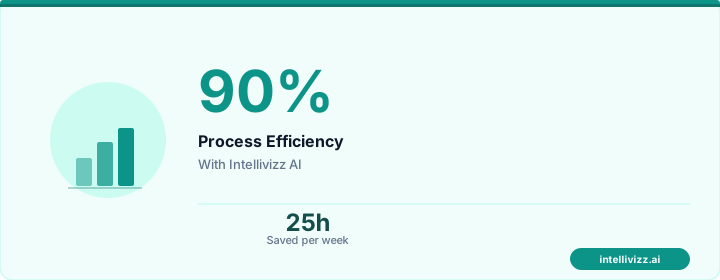
🎓 Keep families engaged with automated communication
From manual processes to automated excellence
What Communication Should Be Automated
Routine Logistics (100% Automatable)
- Daily/weekly schedule reminders and changes
- Carline and transportation updates
- Lunch menu and ordering reminders
- Field trip permission and logistics
- Early dismissal and schedule change notifications
- Supply list and uniform reminders
Academic Communications (80% Automatable)
- Progress report and grade notifications
- Missing assignment alerts
- Conference scheduling and reminders
- Report card release notifications
- Standardized test schedule and preparation tips
Administrative (90% Automatable)
- Tuition payment reminders and receipts
- Form and document deadlines
- Re-enrollment campaign messages
- Health form and immunization compliance
- Annual fund and fundraising campaigns
Emergency (Fully Automatable)
- Weather closures and delays
- Lockdown and safety notifications
- Health alerts (illness outbreaks, exposure notifications)
Building a Communication Automation System
Channel Strategy
Not every message belongs in every channel. An effective automation system routes messages based on urgency and type:
| Message Type | Primary Channel | Secondary Channel |
|---|---|---|
| Emergency alerts | SMS + Push notification | Email + Phone tree |
| Day-of logistics | SMS | App notification |
| Weekly updates | Email newsletter | App/portal |
| Academic progress | Portal/LMS | Email summary |
| Administrative deadlines | Email + SMS | Portal |
| Fundraising/events | Social media |
Personalization and Segmentation
Effective automation sends the right message to the right families. Segmentation criteria include:
- Grade/Division: Lower school families don't need upper school sports schedules
- Transportation type: Bus riders get bus updates; carline families get carline information
- Extracurricular enrollment: Only families with students in band get concert updates
- Language preference: Messages sent in the family's preferred language
- Communication preference: Some parents prefer text; others prefer email only
Triggered Communications
The most powerful automation is event-triggered — messages sent automatically based on a data event:
- Absence detected → parent notified: "Your child was not in attendance today. If this is expected, no action needed. Otherwise, please contact [office]."
- Grade below threshold → parent alert: "Your child's grade in [Subject] has dropped below [threshold]. Conference with [Teacher] recommended."
- Tuition payment overdue → escalating reminder sequence
- Form deadline approaching → countdown reminders to parents who haven't submitted
- Student achievement → positive notification: "Great news! [Student] scored in the top 10% on the recent assessment."
Triggered messages are 4x more relevant than batch communications because they're specific to the family's current situation. Parents appreciate knowing about their child's absence within an hour, not learning about it at pickup.
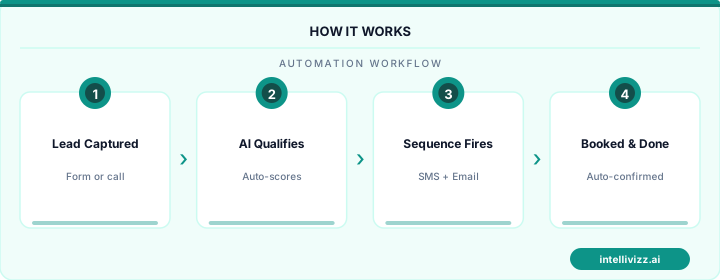
🎓 Keep families engaged with automated communication
See how automation transforms industry operations
Implementation Approach
- Audit current communications: Catalog every message your school sends in a year. Categorize by type, channel, frequency, and staff time required.
- Identify automation candidates: Any message that follows a predictable trigger (date, event, data change) can be automated.
- Set up communication templates: Create branded templates for each message type with personalization tokens ([StudentName], [TeacherName], etc.)
- Configure triggers: Connect your SIS (student information system) to the communication platform so data changes automatically trigger messages.
- Pilot with one division: Start with lower school or a single grade to test workflows before full deployment.
- Collect feedback: Survey parents after the first month — what are they receiving too much of? Too little?
Impact on School Operations
- Admin communication time reduced 60% — from 20+ hours/week to 8 hours/week
- Parent satisfaction scores increase 20-30% — timely, relevant communication is the #1 driver
- "I didn't know about that" complaints drop 80% — multi-channel delivery ensures message receipt
- Form and payment compliance improves 35% — automated reminders catch what manual follow-up misses
- Emergency notification delivery time drops from 15-30 minutes to under 60 seconds
Schools in the DC metro area have been early adopters of communication automation, driven by tech-savvy parent populations with high expectations for timely information delivery.
Personalization at Scale: Beyond Mass Notifications
The most significant limitation of traditional school mass communication — blast emails, robocalls, district-wide texts — is the absence of personalization. A message sent to every family in the district is necessarily generic; the content relevant to a fourth-grade family at one elementary school is meaningfully different from the content relevant to a high school family preparing for AP registration or a middle school family navigating the transition to secondary scheduling. When every communication is generic, families learn to treat school communications as low-priority, high-noise information sources — and read rates decline over time as parents acclimate to the signal-to-noise ratio.
Automated parent communication platforms that segment families by enrollment grade, school building, program (special education, gifted, dual language, athletics, arts), and individual student data (upcoming grades milestones, IEP review dates, standardized testing windows specific to the child's grade) can deliver messages that are specific to each family's actual school experience. A message that arrives with the parent's child's name in the subject line, references a specific upcoming event at their specific school, and includes information relevant to their grade level and program enrollment is read at rates 2–4x higher than a generic district communication. This personalization capability, at the scale of a district with 5,000 or 20,000 students, requires automation — the alternative is a level of manual segmentation that is simply not feasible for school communications teams.
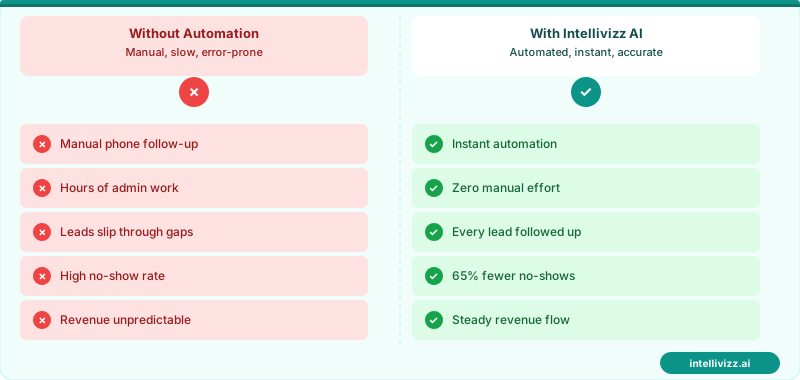
📚 Personalized at Scale — Every Family Gets the Message That Matters to Them
Segmented parent communications read at 2–4x the rate of district-wide mass blasts
Two-Way Communication and Parent Engagement Measurement
Effective parent communication automation is not one-directional. The highest-engagement parent communication systems create structured pathways for parent response — not open-ended reply channels that create unmanageable inbox volumes for school staff, but targeted two-way interactions that collect specific inputs: RSVP confirmations for events, acknowledgment receipts for policy communications, absence excuse submissions that route directly to the attendance system, permission slip responses that populate activity rosters, and survey responses that inform school improvement planning. Each of these two-way interactions creates a structured data point that is captured, stored, and actionable — distinguishing substantively from the vast majority of parent portal messages that are read but generate no institutional record of family engagement. Related: learn how a school weather closure notification system automates decision protocols and multi-channel delivery.
Measuring parent engagement is a function that most schools do not systematically perform — yet it is a leading indicator of outcomes including student attendance, family participation in IEP meetings, re-enrollment decisions for private schools, and community support for bond measures and levy renewals. Automated communication platforms that report engagement metrics — message open rates by building, RSVP response rates by event type, survey completion rates by grade level — enable communications directors and principals to identify engagement gaps before they manifest as enrollment losses or community relations problems. A building where parent read rates have declined 15 percentage points over two semesters is displaying an early warning signal that warrants investigation; without measurement, this signal is invisible until it expresses itself as a more consequential outcome.
| Communication Type | One-Way vs. Two-Way | Engagement Metric | Institutional Value |
|---|---|---|---|
| Emergency / closure notification | One-way | Delivery confirmation rate | Safety compliance |
| Event RSVP | Two-way | RSVP rate by family segment | Event planning, engagement tracking |
| Policy acknowledgment | Two-way | Acknowledgment completion rate | Liability documentation |
| Re-enrollment campaign | Two-way | Re-enrollment conversion rate | Enrollment management |
| Absence excuse submission | Two-way | Digital vs. phone submission rate | Attendance system accuracy |
Schools building a comprehensive parent communication infrastructure will find the absence-specific communication framework in school absence reporting automation directly applicable — covering the structured two-way communication workflows for absence acknowledgment, excuse documentation, and chronic absenteeism intervention that represent one of the highest-value use cases for school communication automation.
Crisis Communication and Emergency Notification Integration
Parent communication automation extends its most critical function into emergency and crisis scenarios — situations where the speed, accuracy, and reach of family notification directly affects community safety and school liability. Lockdown notifications, medical emergencies, environmental hazards, and community threat situations require immediate multi-channel parent notification that reaches every family within minutes, not the 20–30 minutes that manual phone tree activation or staff-composed mass emails would require. Automated emergency notification systems integrated with the school's parent communication platform can deliver simultaneous SMS, phone call, email, and app push notification within 60–90 seconds of activation — a response speed that manual communication systems simply cannot match.
The design of emergency communications requires specific attention to message tone, content precision, and update cadence that differs from routine school communications. Initial emergency notifications should be factual, brief, and action-oriented — conveying what happened, what the school is doing, and what parents should or should not do immediately — without speculation about cause or escalation that would increase parental anxiety beyond what the situation warrants. Automated update sequencing that delivers confirmed follow-up communications at defined intervals (10 minutes, 30 minutes, 1 hour as appropriate to the situation) prevents the information vacuum that drives parents to social media for unverified updates, and provides the community with an authoritative information source that maintains trust through the crisis period. Post-crisis communications — all-clear notifications and next-day parent briefings — complete the communication arc and demonstrate the kind of transparent, professional crisis management that sustains school community confidence through difficult situations.
Ready to modernize your school's operations? Explore our education automation solutions, or read our guide to School Emergency Communication Systems: Mass....
Relevant AI Automations
AI Review Management
All-in-one review management: automated review requests, AI-powered responses, and review repurposing for web & social — 3 engines in 1.
Missed Call Text-Back
Instantly respond to missed calls from prospective parents with AI-powered SMS, capturing enrollment leads 24/7
AI Voice Agent - Inbound
AI answers calls 24/7, handles FAQs about programs, tuition, availability, and books tours