
Daycare Enrollment Automation: Managing Waitlists, Licensing, and Parent Onboarding
Why Daycare Enrollment Is Unlike Any Other Service Enrollment Process
Enrolling a child in a daycare or early childhood education center involves a level of operational complexity that most other service businesses never encounter. A parent enrolling their infant may join a waitlist when the child is weeks old — and wait two years before a spot opens. When a spot does open, it must match not just availability but the specific classroom ratio requirements set by state licensing for the child's age group. The enrollment packet includes immunization records reviewed against state schedules, allergy information coordinated with kitchen and caregiving staff, emergency contact networks, subsidy voucher documentation, custody arrangements, and media authorization releases.
For a daycare director or administrator managing enrollment manually, each of these requirements creates individual administrative touchpoints across dozens of families at various stages of the enrollment pipeline. The director is simultaneously managing an infant waitlist, a toddler waitlist, a preschool waiting list, active enrollments at each age group, state licensing documentation, and staff-to-child ratios — all in real time as children age up through classrooms, families withdraw unexpectedly, and new inquiries arrive daily.
Daycare enrollment automation does not simplify this complexity — it manages it systematically, ensuring that every requirement is tracked, every deadline is met, and every family receives the information they need without the administrative team manually managing each communication.
👶 From Waitlist to First Day — Fully Managed
Automated enrollment handles what no manual system can keep pace with
The Waitlist from Birth: Managing Multi-Year Enrollment Queues
High-quality daycare centers in urban and suburban markets frequently have waitlists measured in months or years, particularly for infant and young toddler classrooms where state licensing mandates low caregiver-to-child ratios (often 1:3 or 1:4) that strictly limit class size. Parents in these markets add their children to daycare waitlists before birth — or, at the latest, immediately after delivery — with full understanding that enrollment may not materialize until the child is 12–24 months old.
Waitlist Management Requirements
A waitlist spanning two or more years creates unique administrative challenges:
- Contact information decay: Families who joined the waitlist 18 months ago may have moved, changed email addresses, or changed phone numbers. Without periodic re-engagement, a significant percentage of waitlist entries represent families who are no longer interested or no longer reachable.
- Enrollment intent confirmation: A family's circumstances change significantly during an extended wait. Their need for full-time care may have changed (a parent left the workforce or took a different schedule). Their preferred enrollment date may have shifted. Their preferred classroom schedule (full-time vs. part-time) may have evolved.
- Priority sequencing: Many daycare centers apply priority rules to waitlist sequencing: siblings of enrolled families receive priority, employees of partner organizations receive preference, or geographical proximity is factored in. Manual application of these rules at the point of available slot creation is error-prone.
- Age-group progression: A child added to the infant waitlist at birth may, by the time a slot opens, have aged into the young toddler classroom. The waitlist system must project the child's age at anticipated enrollment and match them to the appropriate classroom.
Automated Waitlist Engagement Sequence
An automated daycare waitlist management system maintains engagement with waitlisted families throughout the wait:
- Join confirmation: Immediate confirmation with waitlist position, estimated wait time range, and an explanation of how priority is applied.
- Quarterly check-in: A brief message confirming the family's continued interest and requesting updated contact information. Families who do not respond after two quarterly check-ins are flagged for manual follow-up or waitlist removal.
- Annual enrollment intent confirmation: A more comprehensive update request asking families to confirm: child's updated date of birth (for classroom matching), preferred start date window, preferred schedule (full-time/part-time/specific days), and continued interest in enrollment. Families who no longer need enrollment can remove themselves, advancing the queue for families who do.
- Slot availability notification: When a slot becomes available in the appropriate classroom, matched waitlist families receive a time-sensitive notification with a response deadline. The first responding family retains the slot; non-responders within 48–72 hours are bypassed and the slot is offered to the next family.
Tour Scheduling Automation
For families on the waitlist — and for new families making initial inquiry — tour scheduling is the first in-person interaction that builds the relationship and moves them toward enrollment commitment. Manual tour scheduling is a surprisingly time-consuming administrative task: the back-and-forth of finding a mutually convenient time, confirming the appointment, and preparing the director or lead teacher for the visit.
Automated tour scheduling works through a direct booking link: the family selects from available tour slots (pre-configured by the director around classroom observation windows and transition times), completes a brief pre-tour questionnaire (child's age, anticipated start date, schedule needs), and receives a confirmation with tour logistics. A reminder goes out 24 hours before the visit.
Post-tour, an automated follow-up sequence begins: a thank-you message with additional enrollment information, a link to complete a formal application if the family is ready to proceed, and periodic nurture messages over the following weeks for families who toured but have not yet committed.
Enrollment Packet Automation
When a family moves from waitlist or inquiry to active enrollment, they face the most document-intensive phase of the process. A typical daycare enrollment packet includes:
- Enrollment application with child and family demographic information
- State-required immunization records with documentation that immunizations are current for the child's age
- Allergy documentation, including severity assessment and emergency response protocols for anaphylactic allergies
- Medical authorization form (authorizing first aid and emergency treatment)
- Emergency contact list with authorization levels (who can pick up, who to contact first)
- Custody and authorized pickup documentation (particularly important for families with custody arrangements)
- Media authorization (photography, video for classroom documentation)
- Tuition agreement and payment authorization
- Parent handbook acknowledgment
- Sunscreen and personal care product authorization
- Field trip and activity participation authorization
Manual collection of these documents through email or paper submission creates a tracking nightmare. Automated enrollment packet management assigns each form to the family's enrollment checklist, tracks completion status, and sends targeted reminders for specific outstanding items rather than generic "please complete your enrollment" messages.
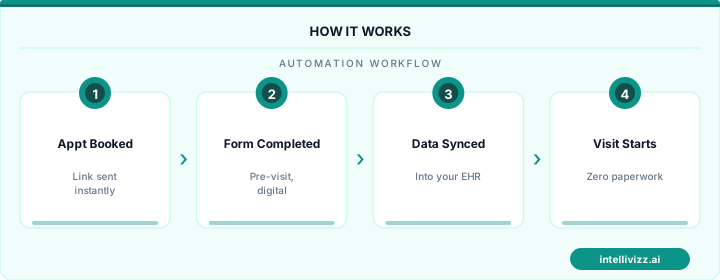
📋 Every Form Tracked. Every Document Collected.
Automated enrollment packets with real-time completion tracking and targeted reminders
Immunization and Allergy Tracking
Immunization record management is one of the most compliance-critical functions in daycare administration. State licensing agencies require that all enrolled children's immunization records are current, on file, and reviewed against the state-mandated immunization schedule for the child's age. A child who falls behind on required immunizations — or whose records are missing — creates a licensing compliance issue that can result in citations or, in severe cases, enrollment suspension.
Automated Immunization Management
An effective daycare enrollment automation system includes immunization tracking that:
- Collects immunization records at initial enrollment with document upload capability
- Records each vaccine with date administered and cross-references against the age-appropriate state schedule
- Flags incomplete immunization records at enrollment and delays enrollment confirmation until records are complete or a valid exemption is documented
- Monitors upcoming vaccine due dates for enrolled children and sends reminders to parents 30 and 14 days before a required vaccine is due
- Flags children who have missed required vaccines and tracks follow-up
- Generates licensing compliance reports showing immunization status across all enrolled children
Allergy tracking requires similar systematic management. A child with a peanut allergy in a daycare classroom affects kitchen planning, snack policies, and table management. An automated allergy registry maintains each child's allergy profile, severity level, and emergency response protocol — and generates kitchen and classroom alerts at the start of each school year when classroom assignments change and a child with a serious allergy joins a new room.
Age-Based Classroom Assignment and Licensing Ratio Compliance
State childcare licensing requirements mandate specific caregiver-to-child ratios that vary by age group. Typical ratios (though these vary by state):
| Age Group | Typical Ratio (varies by state) | Max Group Size |
|---|---|---|
| Infants (0–12 months) | 1:3 or 1:4 | 6–8 |
| Young Toddlers (12–24 months) | 1:4 or 1:5 | 8–10 |
| Toddlers (2–3 years) | 1:5 or 1:6 | 10–12 |
| Preschool (3–5 years) | 1:8 or 1:10 | 16–20 |
| Pre-K (4–5 years) | 1:10 or 1:12 | 20–24 |
These ratios directly determine classroom enrollment capacity, and children age through classrooms at different rates. Enrollment automation should track each child's age against classroom eligibility thresholds and generate transition notifications when a child is approaching the age threshold for moving to the next classroom. This transition planning requires coordination with the family (are they prepared for the classroom change?), the receiving classroom (is there capacity?), and the sending classroom (will the vacancy be filled from the waitlist?).
Enrollment capacity tracking in an automated system provides a real-time view of each classroom's enrollment against its licensed maximum and its current ratio compliance status. This view is essential for enrollment decisions and for the periodic licensing inspections that all childcare centers are subject to.
Subsidy and Voucher Processing
A significant percentage of families in most markets rely on childcare subsidy programs to fund enrollment — Child Care and Development Fund (CCDF) vouchers at the federal level administered through state agencies, state-specific subsidy programs, and employer-sponsored childcare benefits. Managing subsidy-funded enrollments alongside privately-paid enrollments adds administrative complexity:
- Subsidy eligibility verification: Families must document eligibility before the subsidy agency will authorize payment to the provider. This documentation — income verification, work or school participation, family composition — must be collected and retained.
- Authorization period management: Subsidy authorizations expire and must be renewed, typically every 6 or 12 months. Automated renewal reminders sent 60 and 30 days before authorization expiration prevent payment gaps that create both family stress and provider cash flow disruption.
- Co-payment collection: Most subsidy programs require families to pay a co-payment based on income. This co-payment is separate from the subsidy authorization and must be collected from the family directly.
- Agency billing: Subsidy agencies typically require monthly or bi-monthly attendance reports as the basis for provider payment. Automated attendance tracking and report generation reduces the administrative burden of this billing cycle.
State Licensing Compliance Documentation
Beyond immunization tracking, state childcare licensing requires ongoing documentation across multiple operational areas. Enrollment automation supports compliance documentation by maintaining organized, accessible records that can be produced at inspection:
- Enrollment and withdrawal dates for each child
- Classroom assignment history and age-at-enrollment documentation
- Immunization and health records with dates of review
- Emergency contact and authorization records
- Signed copies of all enrollment forms and parent agreements
- Subsidy authorization documentation
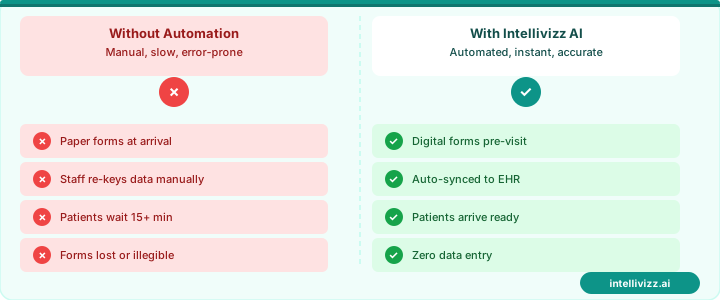
✅ Licensing Compliance Built Into Every Enrollment
Automated documentation keeps your center inspection-ready at all times
Parent Portal Onboarding
The parent portal is increasingly central to the daycare parent experience: daily reports (photos, activities, meals, naps for infants), billing and payment management, form completion, communication with caregivers, and enrollment status tracking. Successful parent portal adoption requires an intentional onboarding sequence:
- Portal account creation: Automated account provisioning at the point of enrollment confirmation, with a personalized welcome email and setup link. The setup flow should be completable on a phone in under 5 minutes.
- Feature introduction sequence: A 5-day email sequence introducing one portal feature per day: daily reports, photo notifications, billing, messaging, and document storage. Families who feel overwhelmed by a portal with 15 features often abandon it; progressive introduction drives adoption.
- First billing cycle guided experience: When the first tuition invoice is generated, an automated message walks the family through payment in the portal — building the habit of portal-based payment before they ever have a billing problem.
- Ongoing engagement nudges: Monthly messages highlighting underutilized features (developmental milestone tracking, photo downloads, event calendars) drive sustained portal engagement.
For daycare operators looking at the broader communication system beyond enrollment, the school communication and parent engagement framework described in our school enrollment funnel automation guide provides relevant context for building systematic family relationships from initial inquiry through active enrollment. And for any child-serving organization managing payment collection from families, the payment reminder automation guide covers the tuition and co-payment collection system in depth.
ROI of Daycare Enrollment Automation
| Administrative Function | Manual Time (monthly) | Automated Time (monthly) |
|---|---|---|
| Waitlist management and re-engagement | 8–15 hours | 0.5–1 hour |
| Enrollment packet follow-up | 6–12 hours | 0.5–1 hour |
| Immunization record tracking | 4–8 hours | 0.25–0.5 hour |
| Subsidy authorization renewal tracking | 3–6 hours | 0.25–0.5 hour |
| Parent communication and reminders | 5–10 hours | 0.5–1 hour |
| Total administrative hours | 26–51 hours/month | 2–4 hours/month |
At an administrative staff cost of $20–$25 per hour, the monthly administrative savings alone — 22–47 hours — represent $440–$1,175 per month in recovered staff capacity. For a daycare center paying a director or assistant director to handle enrollment administration alongside their other responsibilities, this recovered time translates directly into the ability to serve more families, improve program quality, or reduce administrative staff hours without service degradation.
The families experience the benefits differently: faster waitlist communication, clear enrollment progress tracking, consistent and professional document collection, and a well-organized onboarding experience that builds confidence in the center before their child walks through the door. In a market where parents are choosing between centers with similar facilities and caregiver quality, the administrative experience during enrollment is often the differentiating factor. Daycare enrollment automation is not just an efficiency tool — it is a competitive advantage.
For a broader view of how automation applies across educational settings — from daycares through private K-12 schools — our guide to how to automate the school enrollment process provides a comparative framework applicable to any child-serving educational organization.
Ready to modernize your school's operations? Explore our education automation solutions, or read our guide to School Enrollment Automation: Streamlining the....
Relevant AI Automations
AI Review Management
All-in-one review management: automated review requests, AI-powered responses, and review repurposing for web & social — 3 engines in 1.
Missed Call Text-Back
Instantly respond to missed calls from prospective parents with AI-powered SMS, capturing enrollment leads 24/7
AI Voice Agent - Inbound
AI answers calls 24/7, handles FAQs about programs, tuition, availability, and books tours