
Client Reactivation Campaign Automation: Win Back Dormant Clients Across Any Industry
The Hidden Revenue in Your Dormant Client List
Every business has them: clients who used to buy regularly, then quietly stopped. They didn't complain, didn't formally cancel — they just drifted away. For most businesses, dormant clients represent 20-30% of the total client base, and each one represents a revenue opportunity that's 5-7x cheaper to recover than acquiring a new client.
The challenge isn't identifying dormant clients — any CRM can pull that list. The challenge is executing consistent, personalized reactivation outreach at scale without burying your team in manual work. That's where automation transforms a good intention into recovered revenue.
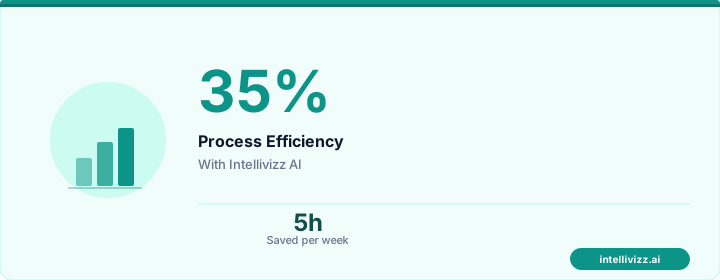
💡 Automation handles the routine — you handle the growth
Smart technology, better results
Defining "Dormant" by Industry
| Industry | Dormancy Threshold | Typical Dormant % |
|---|---|---|
| Medical/Dental | 12+ months since last visit | 20-30% |
| Legal/Professional Services | 18+ months since last engagement | 25-35% |
| Restaurants | 90+ days since last visit (regulars) | 15-25% |
| Fitness/Gyms | 60+ days since last check-in | 20-30% |
| Real Estate | 24+ months since last transaction | 40-50% |
| Accounting/CPA | Missed last tax season filing | 10-15% |
The 6-Touch Reactivation Sequence
Touch 1: The Warm Check-In (Day 1)
Channel: SMS or email
Message: "Hi [Name], it's been a while since we've connected. We'd love to hear from you — is there anything we can help with? [Link to schedule/book/contact]"
No selling, no offers — just a genuine human check-in. This alone recovers 8-12% of dormant clients.
Touch 2: Value Delivery (Day 5)
Channel: Email
Message: Share something genuinely useful — an industry update, a new service announcement, a relevant guide, or a seasonal tip. The goal is to remind the client why they valued your service.
Touch 3: Social Proof (Day 12)
Channel: Email or SMS
Message: Share a client success story or new review. "Since your last visit, we've helped [X clients] with [Y]. Here's what they're saying: [testimonial]."
Touch 4: Personalized Offer (Day 20)
Channel: SMS + Email
Message: A specific, relevant offer based on their history. For a dental patient: "We'd love to welcome you back with a complimentary fluoride treatment." For a law firm client: "Complimentary 15-minute consultation on any new legal questions."
Touch 5: Direct Outreach (Day 30)
Channel: Phone call or personalized voicemail
Message: A brief, personal message from someone the client knows — their account manager, provider, or the business owner.
Touch 6: Graceful Close (Day 45)
Channel: Email
Message: "We'll always be here when you need us. If your needs have changed, we understand. Here's a link to reconnect anytime: [link]."
Segmentation Strategies
Not all dormant clients deserve the same approach. Segment by:
- Historical value: High-lifetime-value clients get personal phone calls; low-value clients get automated sequences only
- Recency: Recently dormant (3-6 months) get lighter outreach; long-dormant (18+ months) need stronger re-engagement
- Reason for dormancy: If known (moved, insurance changed, etc.), tailor the message accordingly
- Engagement signals: Clients who open emails or visit your website are "warm dormant" — prioritize them
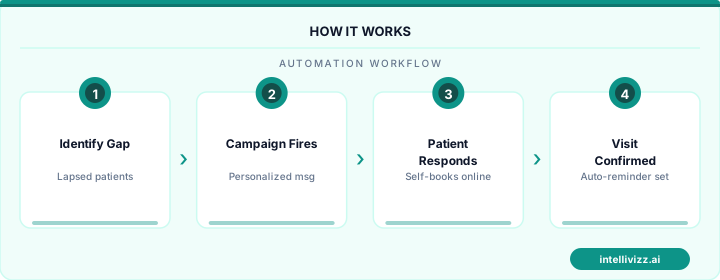
💡 Automation handles the routine — you handle the growth
The data speaks for itself
Automation Platform Requirements
- CRM integration to identify dormant clients automatically based on activity thresholds
- Multi-channel messaging (email, SMS, voicemail drop, direct mail)
- Behavioral triggers that adjust the sequence based on client responses
- Exclusion rules (don't send reactivation to clients who just booked or contacted you)
- Attribution tracking to measure which touch drove the reactivation
Results Across Industries
- Medical/Dental: Patient reactivation campaigns recover 25-40% of inactive patients
- Professional Services: Combined with strong onboarding, reactivation maintains 90%+ client retention over 3 years
- Fitness: Gym reactivation campaigns bring back 20-30% of lapsed members
- Restaurants: Regular diner reactivation with targeted offers achieves 30-45% return rates
The ROI is consistently 8-15x across industries — a $300-$500/month automation investment recovering $3,000-$7,000/month in reactivated client revenue.
Identifying the Right Reactivation Window for Service Businesses
Service businesses face a reactivation challenge distinct from product or subscription companies: the "churn" signal is implicit rather than explicit. A client does not cancel a service relationship — they simply stop responding, decline to renew a project, or quietly begin working with a different provider. This ambiguity means that reactivation campaigns must include a trigger definition step: determining at what point of inactivity a client moves from "passive" to "lapsed" for purposes of a formal reactivation sequence. Without this definition, either too many active clients receive reactivation messaging (damaging the relationship) or genuinely lapsed clients remain uncontacted until the relationship is irretrievable.
Industry-specific inactivity thresholds vary considerably. For monthly retainer service businesses (marketing agencies, bookkeeping firms, IT managed services), a client who has gone 60–90 days without a project interaction or invoice is genuinely lapsed. For seasonal service providers (landscaping, HVAC, pool service), the threshold must account for seasonal demand patterns — a residential HVAC client who has not booked a service call in 18 months during a period that included two annual maintenance seasons is a priority reactivation target. Automated systems that apply these context-aware thresholds, rather than a uniform inactivity trigger, generate meaningfully more targeted and appropriate reactivation campaigns.
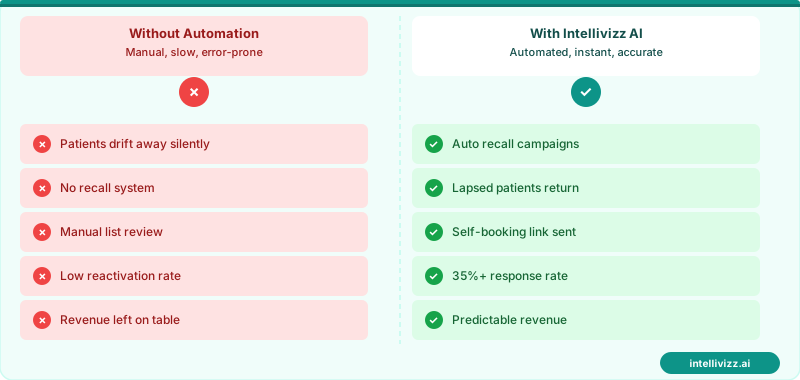
💼 Re-Engage Lapsed Clients Before They're Gone for Good
The right reactivation message at the right window recovers 15–30% of lapsed client revenue
Reactivation Sequence Design: From First Contact to Re-Engagement
A high-performing client reactivation sequence for service businesses differs from a consumer win-back campaign in tone, content, and expected conversion timeline. Service clients have invested time in relationship building, have institutional knowledge of the provider's process and people, and typically respond better to relationship-first messaging than to discount-forward offers. The sequence should acknowledge the relationship history, demonstrate awareness of the client's business context, and present a specific reason to re-engage that is relevant to the client's current situation rather than a generic promotional offer.
A proven three-touch reactivation architecture for service businesses begins with a personalized email or handwritten note (or both) from the account owner or relationship lead — not a generic company email — referencing a specific project, result, or interaction from the client's engagement history. The second touch, delivered 10–14 days later, introduces a new service offering, capability, or case study that is directly relevant to the client's industry or known business challenge. The third touch offers a low-friction re-entry: a complimentary review session, a strategy call, or a pilot project at a favorable rate that reduces the perceived risk of re-engagement for a client who may have developed an alternative relationship during the lapsed period.
| Reactivation Touch | Format | Core Message | Expected Response Rate |
|---|---|---|---|
| Touch 1 (Day 1–7) | Personalized email / note | Relationship acknowledgment | 12–20% |
| Touch 2 (Day 14–21) | Email + LinkedIn | New capability / case study | 8–14% |
| Touch 3 (Day 30–45) | Email + phone | Low-friction re-entry offer | 6–10% |
| Long-tail (Quarterly) | Newsletter / insight | Passive awareness | 2–5% per quarter |
Service businesses using automation for the full client lifecycle — from acquisition through reactivation — will benefit from reviewing the framework on AI lead follow-up automation, which covers the initial engagement sequences that, when systematized, reduce the churn rate that makes reactivation campaigns necessary in the first place.
Tracking Reactivation Success and Calculating Campaign ROI
Client reactivation campaigns are meaningfully different from new client acquisition in one key respect: the relationship history provides a rich data foundation for measuring what drove reactivation and what predicts long-term re-engagement versus repeat churn. Every reactivated client who completes a second engagement after returning should be tracked through the subsequent 12 months: Did they return to their previous engagement frequency? Did they expand the scope of their relationship? Did they churn again — and if so, at what interval and for what apparent reason? This longitudinal tracking is what separates a reactivation program that generates a one-time revenue bump from one that produces sustained relationship recovery with compounding retention improvement.
ROI calculation for client reactivation campaigns should account for the full revenue lifetime of successfully reactivated clients, not just the immediate project or engagement value. If a reactivated consulting client who spent $8,000 on an initial re-engagement project goes on to spend $35,000 over the following two years, the reactivation campaign's contribution extends to the full $43,000 net relationship value — substantially greater than the immediate engagement suggests. This LTV-weighted ROI calculation typically shows reactivation campaigns generating 8–15x returns on the campaign investment for service businesses with strong second-tenure client retention — a figure that puts reactivation at or near the top of marketing investment priorities when properly measured.
From a practical budget allocation standpoint, service businesses that systematically run client reactivation automation alongside new client acquisition typically find that reactivation produces 3–5x higher revenue per dollar of marketing spend than equivalent investment in new client acquisition channels. The cost of reactivating a former client — a few automated contacts, a relationship manager's time for personalized outreach, and potentially a re-engagement incentive — is a fraction of the cost of acquiring a net-new client through advertising, content marketing, or business development events. Reactivation campaigns should therefore be the first marketing investment fully funded before additional budget is allocated to new client acquisition — the economic priority that most service businesses get exactly backwards when they focus all marketing energy on acquisition without a systematic reactivation program running in parallel.
Ready to get started with automation? Explore our AI automation solutions, Win-Back Campaign Automation: The Science of..., or New Client Welcome Sequence Automation: Turn First....